
Wells Fargo Mobile®
Wells Fargo MobileFinance
4.8341.05K Reviews
- Version
- 26.10.00.10-1
- Installs
- 10.00M
- Age Rating
- Everyone
Screenshots
Our Review of Wells Fargo Mobile®
 Analysis by Appyee
Have you ever had one of those "I need to handle my banking right now" moments, but you're not even close to a branch? Well, that's where Wells Fargo Mobile® comes swooping in to save the day. I've been diving deep into this app to see if it really lives up to the hype, and let me tell you, it's got some impressive tricks up its sleeve.
First Impressions: A Smooth Start
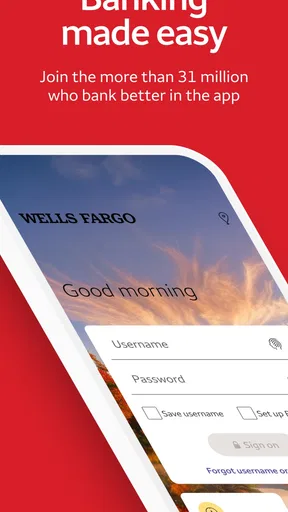
Right off the bat, Wells Fargo Mobile® greets you with a clean and intuitive interface. It’s like walking into a perfectly organized room—it just feels right. The login process is straightforward, and if you’re a fan of face or fingerprint recognition, you’re in luck. The app supports biometric login, making access both secure and convenient.
Features That Stand Out
So, what can you actually do with this app? Quite a lot, actually. Let’s break down some of the features that caught my eye:
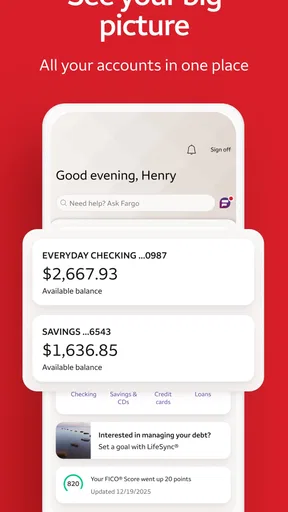
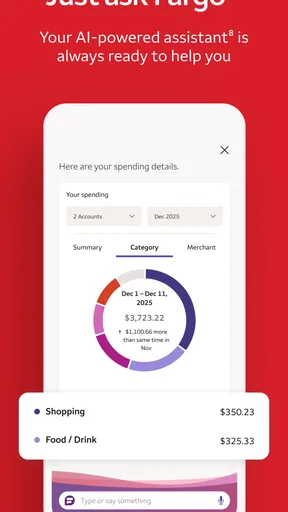
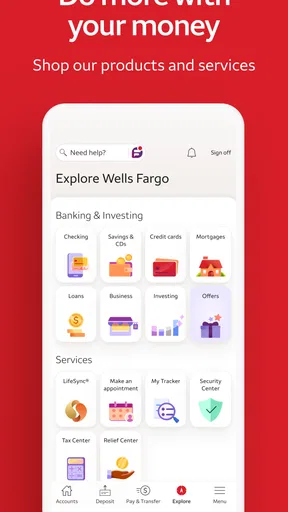
- Account Management: Checking your balance, recent transactions, and account history is as easy as pie. Everything is laid out clearly, and you can even customize your dashboard to prioritize the info you care about most.
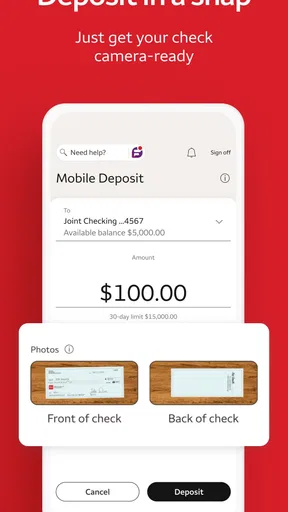
- Mobile Deposits: This feature is a game-changer. Snap a pic of your check, and boom, it’s deposited. It’s secure, quick, and saves a trip to the bank.
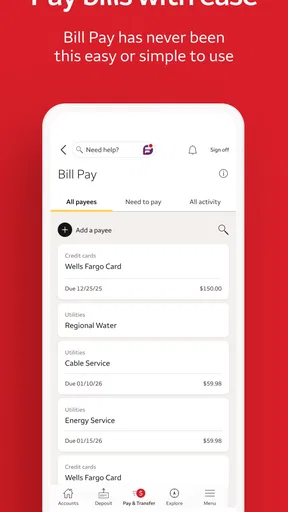
- Bill Pay: Nobody likes bills, but at least paying them can be straightforward. Set up your payees, schedule payments, and you’re good to go.
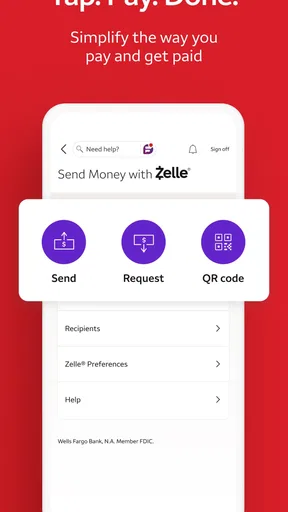
- Transfers: Need to move money between accounts or send funds to someone else? It’s a breeze. The app allows for various transfer options, so you’re always in control.
Security: Peace of Mind
In today’s digital age, security is everything. Wells Fargo seems to get that. The app has multiple layers of security, including encryption and multi-factor authentication. Plus, you can set up alerts for suspicious activity. It’s like having a digital guard dog watching over your finances.
User Experience: Smooth Sailing
Using the app is a pleasant experience, thanks in part to its intuitive design. Navigating through the app feels natural, and everything is where you’d expect it to be. The design is sleek yet functional, and even if tech isn’t your forte, you’ll find your way around without a hitch.
Customer Support: Always There
If you run into any hiccups, Wells Fargo’s customer support is just a tap away. The app offers a direct line to their support team, and you can even schedule an appointment with a banker if you need more personalized help. It’s reassuring to know help is readily available.
The Verdict: Worth the Download?
So, should you download Wells Fargo Mobile®? If you’re a Wells Fargo customer, it’s a no-brainer. The app offers a robust suite of features that make managing your finances on-the-go a breeze. It’s secure, user-friendly, and packed with everything you need to keep your banking stress-free.
In a world where convenience is key, Wells Fargo Mobile® delivers. It’s like having a Wells Fargo branch right in your pocket. So go ahead, give it a try, and take your banking to the next level!
Privacy and Permissions
See what permissions an app requests and how it handles your data.
- Contacts
- read your contacts
- Location
- approximate location (network-based), precise location (GPS and network-based)
- Phone
- directly call phone numbers, read phone status and identity
- Photos/Media/Files
- read the contents of your USB storage, modify or delete the contents of your USB storage
- Storage
- read the contents of your USB storage, modify or delete the contents of your USB storage
- Camera
- take pictures and videos
- Microphone
- record audio
- Wi-Fi connection information
- view Wi-Fi connections
- Device ID & call information
- read phone status and identity
- Other
- view network connections, pair with Bluetooth devices, change network connectivity, full network access, control Near Field Communication, control vibration, prevent device from sleeping, read Google service configuration
Verdict
Strengths of Wells Fargo Mobile®
- User-friendly interface for easy navigation.
- Comprehensive account management features.
- Strong security measures in place.
- Quick access to customer support.
- Seamless mobile check deposit feature.
Limitations of Wells Fargo Mobile®
- Occasional app crashes reported.
- Limited customization options.
- Requires frequent updates.
- Some features require web access.
- Loading times can be slow at peak hours.
Similar Picks in This Category
View All
Google Wallet
Google LLC4.3

Airtel: Recharge, Bank & Loans
Airtel4.0

PayPal - Pay, Send, Save
PayPal Mobile4.2

DANA Indonesia Digital Wallet
PT Espay Debit Indonesia Koe4.5

Binance: Buy Bitcoin & Crypto
Binance Inc.4.8

Cash App
Block, Inc.4.7
You May Also Like
View All
Frequently Asked Questions
What features does the Wells Fargo Mobile® app offer?
The Wells Fargo Mobile® app provides a comprehensive suite of features to manage your banking on the go. Users can check account balances, transfer funds, pay bills, deposit checks using mobile deposit, and even access money management tools. The app also supports account alerts and secure messaging with customer service.
Is Wells Fargo Mobile® secure to use?
Yes, the Wells Fargo Mobile® app is designed with robust security features to protect your information. It uses encryption to safeguard data, and offers multi-factor authentication for added protection. Users are encouraged to use secure passwords and enable biometric logins such as fingerprint or facial recognition for enhanced security.
How can I deposit checks with Wells Fargo Mobile®?
Depositing checks with the Wells Fargo Mobile® app is simple and convenient. Users can select the mobile deposit option, take photos of the front and back of the check, and submit it through the app. Ensure the check is endorsed and that you follow the app’s prompts for a successful deposit.
Does Wells Fargo Mobile® charge any fees?
The app itself is free to download and use; however, standard data and messaging rates may apply depending on your mobile carrier. Certain transactions, like expedited payments or stop payment requests, might incur additional fees, similar to those charged in online banking or at a branch.
Can I manage multiple accounts with Wells Fargo Mobile®?
Yes, the Wells Fargo Mobile® app allows you to manage multiple accounts seamlessly. Whether you have checking, savings, credit cards, or loans with Wells Fargo, you can view and manage them all within the app. This feature makes it easier to oversee your financial health in one place.
